Your coding agents,
out loud.
Hear Agent lives in your Mac's notch. It tells you the moment Claude Code or Codex finishes or needs you, and lets you answer without leaving what you're doing.
macOS 14 Sonoma or later · Native Swift appClaude finished migrating billing. Two migrations applied, and all 38 tests pass.
GeorgeKnow what your agents did.
Without looking.
Hear Agent watches your Claude Code and Codex sessions, so you can step away from the terminal and still know the moment something needs you.
Hear it, don't watch it
When an agent finishes or gets stuck, a natural voice tells you what happened in a single sentence.
rm -rf node_modulesAnswer from the notch
Permission requests open right in the notch. ⌘Y allows, ⌘N denies, and you never leave your editor.
Every session at a glance
Claude Code and Codex on one board, sorted by what each one needs from you.
Limits before they bite
How much of your 5-hour and weekly windows is left, and when they reset.
A small friend in your notch
It follows your cursor, blinks, and cheers now and then. Go on, click it.
Dev servers, tamed
Every server your agents start, with its folder and port. Stop one with a click.
Your month in pixels
Tokens and spend across both agents, day by day, with a forecast to the end of the month.
A dashboard for the days
you want the full picture.
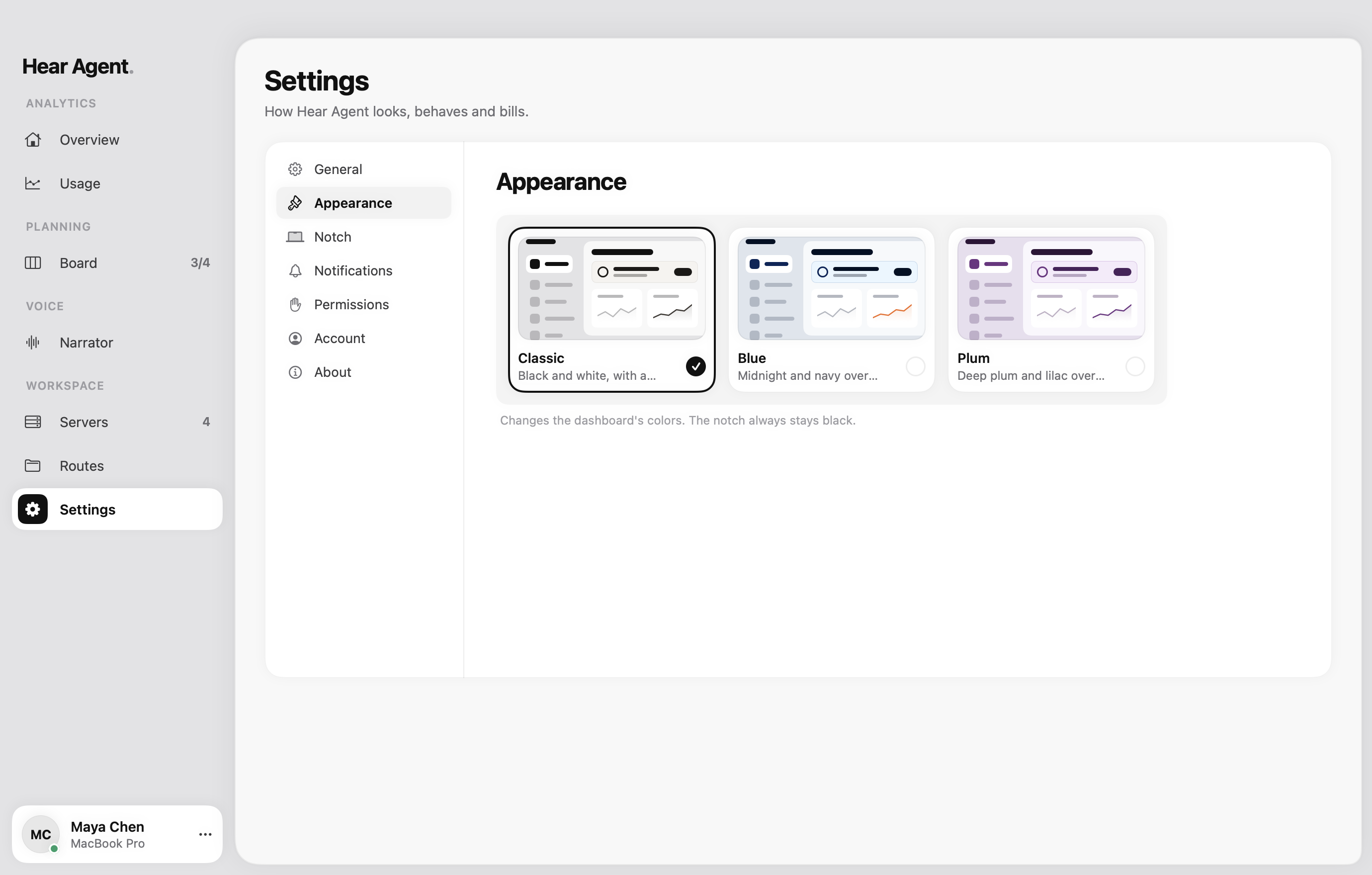
The notch keeps you posted. The dashboard keeps the history: every session, every dollar, every server.
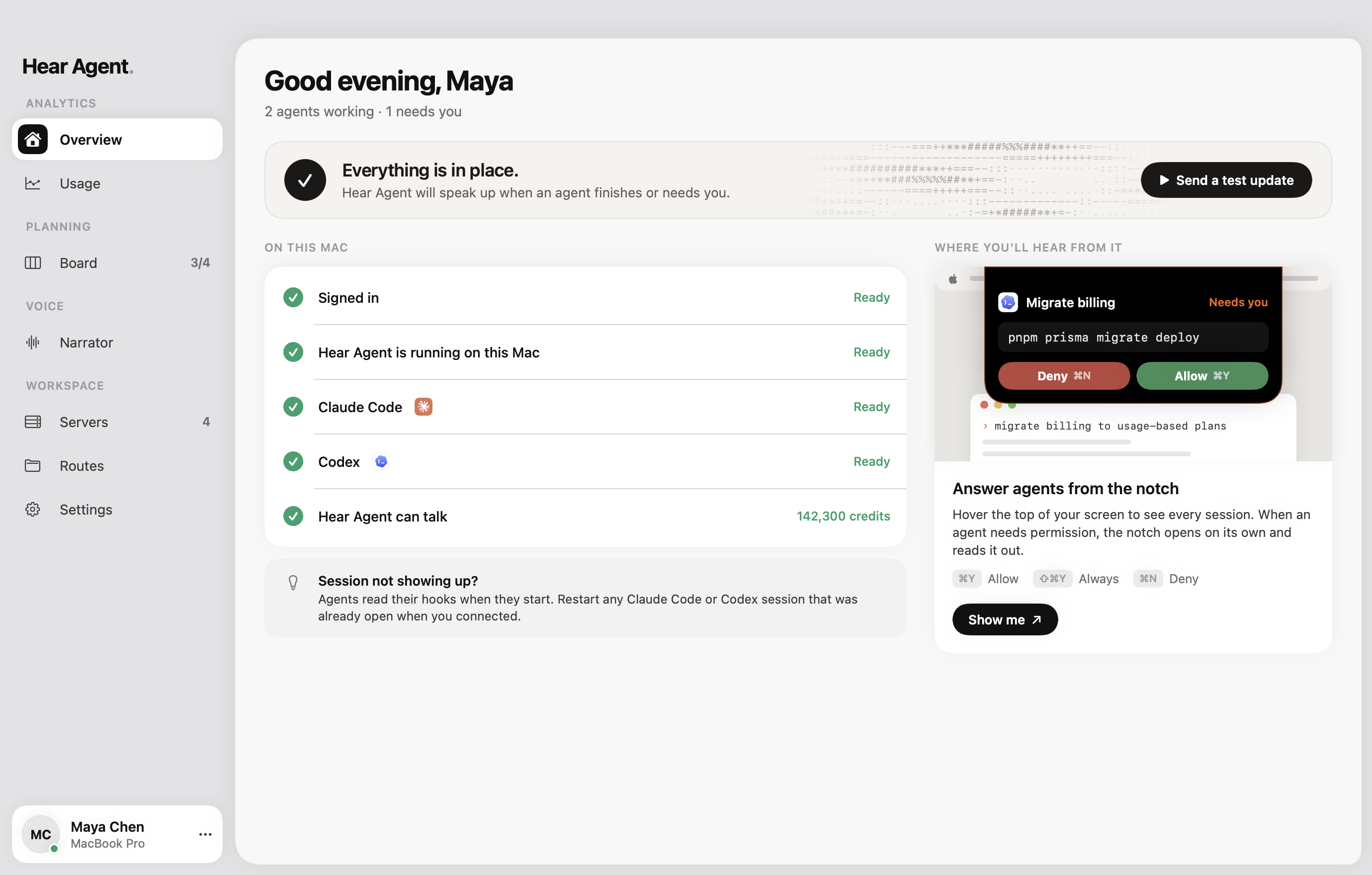
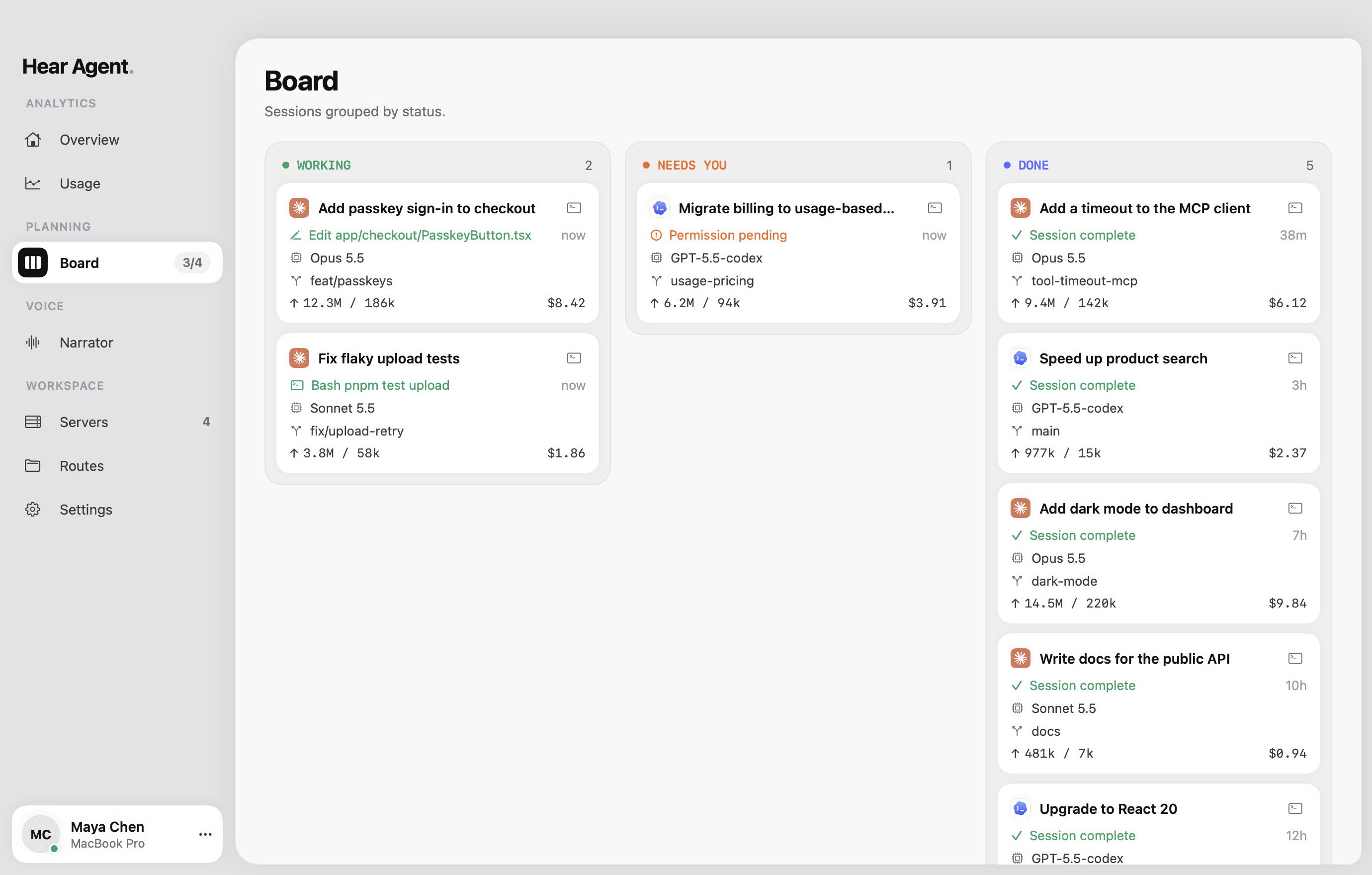
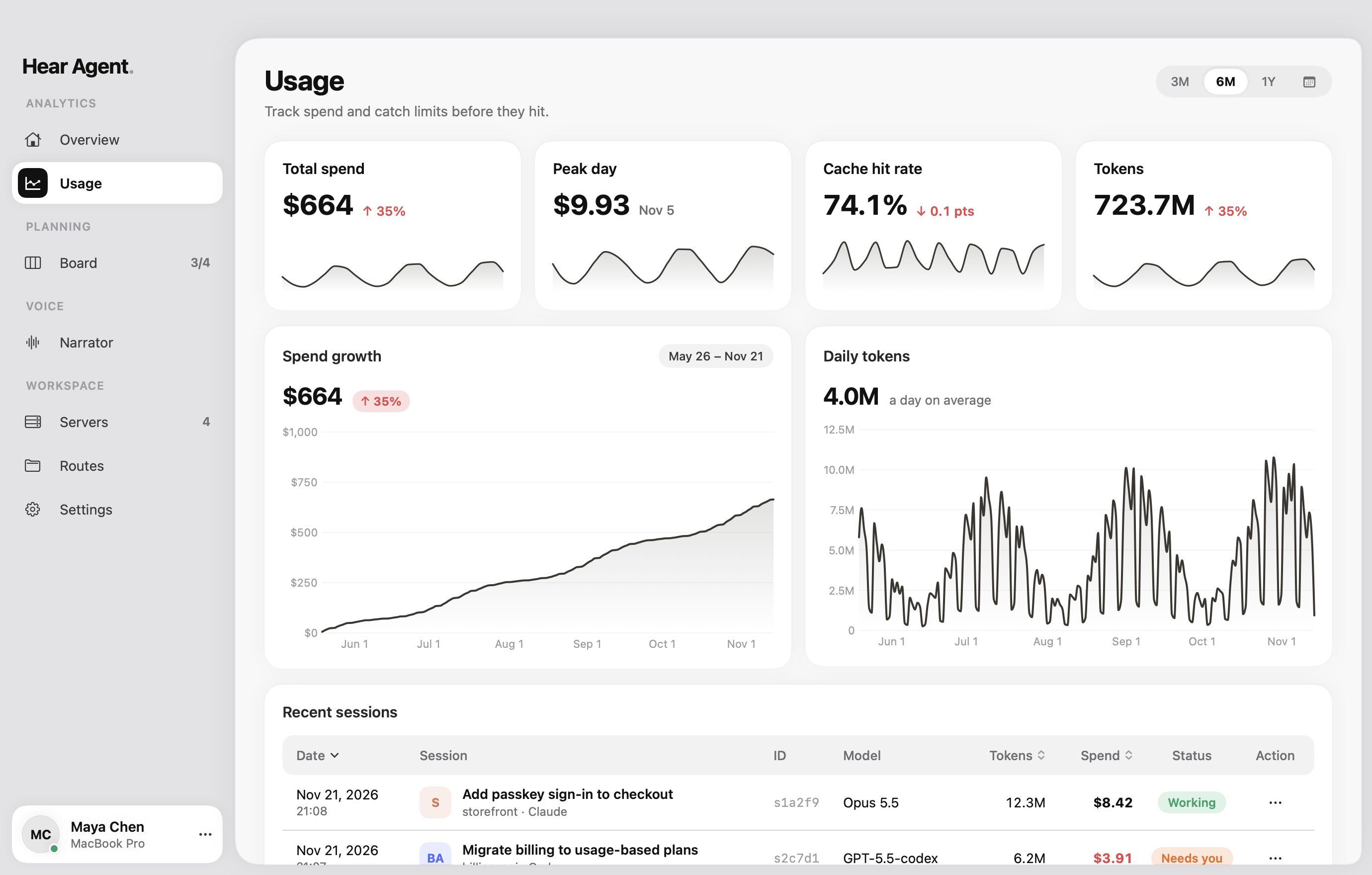
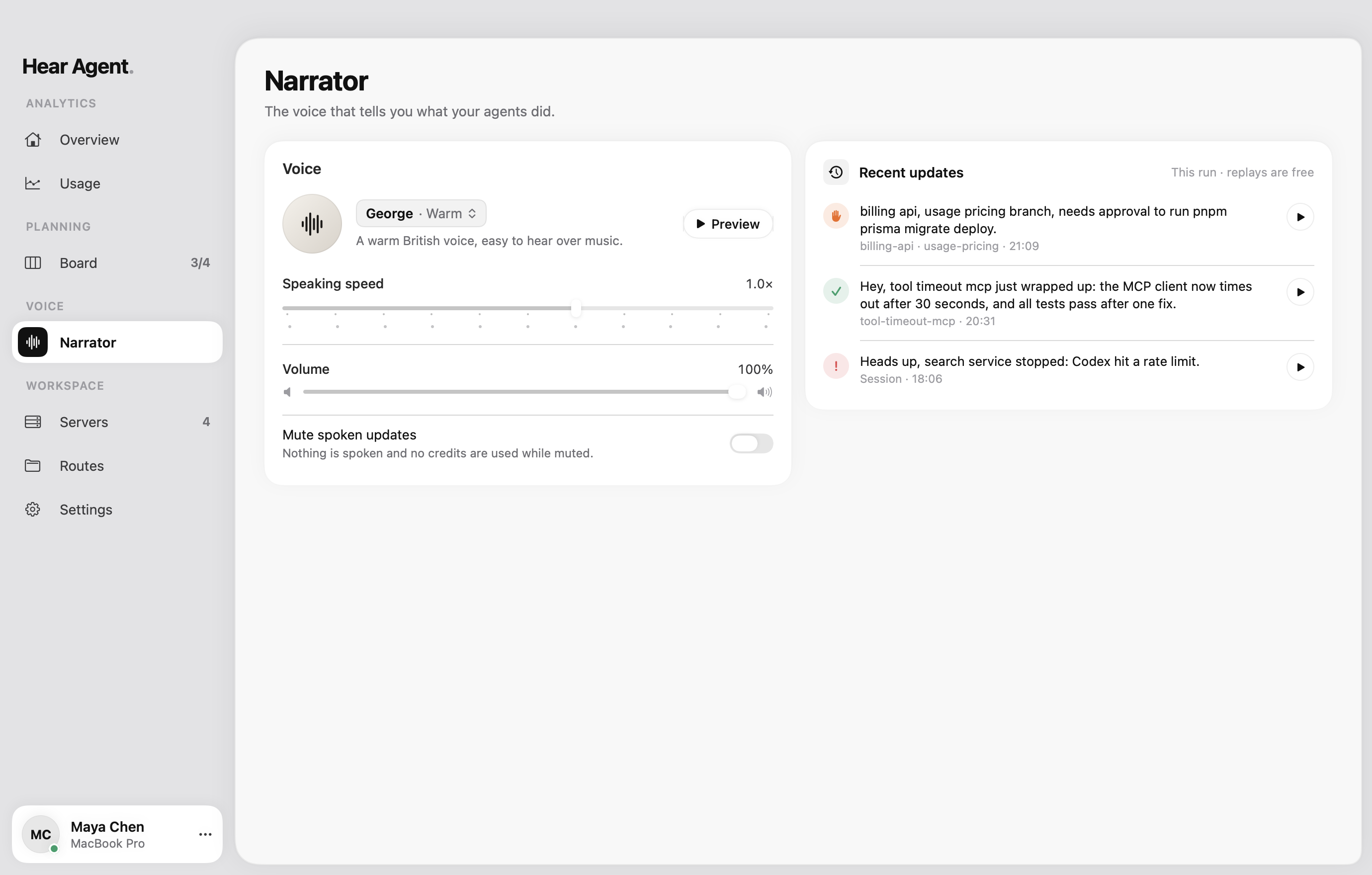
Setup at a glance, and where you'll hear from it.
Two minutes to set up.
Then it just listens.
Download and open
Drag Hear Agent into Applications and open it. It settles into your notch and menu bar.
Connect your agents
One click hooks up Claude Code and Codex. Sessions you start from then on report in.
Get back to work
Write, review, take a walk. Hear Agent speaks up when something finishes or needs you.
One plan. Any pace.
Pick the credits you need. Pay monthly or yearly. Cancel any time.
75,000
credits a month
$8.25 a month
- About 1,000 spoken updates a month
- Lives in your Mac's notch
- Works within any terminal
- Approve or deny with ⌘Y and ⌘N
- Tells you when an agent is waiting on you
- Limits, spend and a month-end forecast
- Dev servers and agent routes in one place
- Credits refill every month
- Yearly. Cancel any time
Questions, answered.
What does Hear Agent do?
It lives in your Mac's notch and keeps an ear on your coding agents. When Claude Code or Codex finishes, hits a problem or asks for permission, Hear Agent tells you out loud and shows it in the notch, so you can answer without hunting for the right terminal.
Which agents does it work with?
Claude Code and Codex today. More agents are on the way.
How does it know what my agents are doing?
When you connect an agent, Hear Agent adds a small hook to that agent's settings. Each session then reports its progress to the app on your Mac. Disconnecting in Settings removes the hook again.
Do I need a MacBook with a notch?
No. On Macs without one, Hear Agent sits at the top center of your screen and opens the same way.
Can I answer permission requests from the keyboard?
Yes. While a request is open in the notch, ⌘Y allows it, ⇧⌘Y always allows that kind of request, and ⌘N denies it.
Can I turn the voice off?
Anytime. Mute spoken updates from the speaker button in the notch or from the menu bar. The notch keeps showing everything, silently.
What's the difference between monthly and yearly?
Nothing but the price. Every plan comes with the same features and its credits refill each month; paying yearly costs less than twelve monthly payments.
What's a credit?
One character Max speaks. A spoken update is about 75 characters, so 75,000 credits is roughly 1,000 updates a month.
Which version of macOS do I need?
macOS 14 Sonoma or later.
Let your agents
do the talking.
Step away from the terminal. Hear Agent will tell you when it matters.
macOS 14 Sonoma or later